



Top 10 Critical Questions to Ask Before Migrating Your Healthcare CRM Patient Data

Here's a reality that most don't realize: Healthcare is among the fastest-growing data sectors. The healthcare industry generates roughly 30 percent of global data volume. With an estimated annual growth rate of 6 percent, healthcare is the top data-producing sector in 2025, and that's likely to continue.
When legacy systems can no longer handle your practice's data volume, or when you plan to switch tools, you must be strategic about patient data migration. An estimated 78 percent of healthcare organizations have completed data migration or are in the process of doing so.
Healthcare data migration is more than simply moving files. It's a complex process that practices must execute strategically to avoid compliance issues, operational disruptions and other challenges, all while maintaining data integrity. Read on to learn more about the essential questions practices like yours need to ask before starting any patient data transfer endeavor.
Understanding What Healthcare Data Migration Involves
Healthcare data migration is the process of transferring patient information and medical data from one system to another. It can refer to a CRM data transfer as you move from outdated legacy systems to more modern alternatives. Alternatively, your practice may be planning to switch EHR or CRM vendors, consolidate data from multiple sources into a single system or migrate to a cloud-based infrastructure.
In any case, migrations typically involve various forms of data. These include:
•Clinical Data: Clinical data can include patient-specific information collected during medical care, such as vitals or lab results.
•Workflow Data: This type of data includes information about referrals, appointments, etc.
•Demographic Data: Demographic data covers information you'd find in your CRM, such as name, age, gender, address, insurance, etc.
•Financial Data: Financial data encompasses everything that impacts your cash flow, including insurance claims.
During healthcare system migration, practices must maintain data integrity. Successful migration improves data storage, data integrity and operational efficiency by up to 25 percent. It can also improve patient care. According to one study, 82 percent of facilities observed positive changes in patient care after migrating to a centralized system.
Question 1: What Data Actually Needs to Be Migrated?
Before starting a healthcare system migration, identify what types of data your practice needs to move. Conduct a comprehensive assessment of the existing data landscape, including patient medical histories, collective health records and business activity data.
Practices don't always need to move everything during a CRM or EHR data migration. Determine the amount of historical data your practice needs to convert, and consider what you can safely discard without impacting the practice or your patients. It's also important to make key decisions about data conversions and future needs.
For example, you should decide whether scanned documents will be images or searchable by their data. You'll also need to consider plans for future service growth and understand how much information needs to be organized and structured.
Data consolidation opportunities may arise during migration. Consider them, as consolidation can save organizations millions when done right.
The goal at this stage is to understand your data landscape and how to use it after your migration. Most practices don't need to migrate patient data exactly as is. Consolidation, restructuring and changes to how your practice organizes it all can make all the difference.
Question 2: How Will You Ensure HIPAA and Regulatory Compliance?
Regulatory compliance during healthcare CRM migration is non-negotiable. Your practice must continue to keep protected health information (PHI) secure. Every step must align with HIPAA, the HITECH Act, the CCPA and other applicable regulations. Compliance is mandatory every step of the way.
For HIPAA compliance, practices need to encrypt data in transit and at rest. Systems must also have secure messaging, role-based access controls and audit logs. Platform vendors should also provide Business Associate Agreements that detail their responsibilities and strategies for protecting PHI.
Before migrating, conduct a non-compliance analysis to avoid illegal data processing practices and the fines that come with them. It's also imperative that practices verify that new systems meet all regulatory standards before moving sensitive patient data.
Question 3: What Is Your Data Migration Strategy and Timeline?
Successful healthcare migration hinges on proper planning. Practices must have a clearly defined strategy. Start by choosing which migration is right for your organization. One option is a full migration, which involves moving at once. Another tactic is phased migration, where your practice runs old and new systems in parallel. The right strategy largely depends on your available resources, acceptable operational risk tolerances, disruption times and the overall complexity of the data environment.
Strategic planning must include a detailed project timeline, trackable KPIs, technical considerations and business considerations. Taking time to strategize before migration makes a difference. It helps prevent mistakes, delayed deliveries and performance issues while also establishing goals as you navigate the migration with minimal issues.
Question 4: How Will You Handle Data Compatibility and Interoperability?
Data compatibility and interoperability are some of the most complex challenges practices must overcome during healthcare data migration projects. Data may be labelled, structured or organized differently across systems. For example, a legacy system might store information about a medication as "Medication Name," while a new system calls it "Medication Details." A seemingly small detail has a big impact.
Semantic interoperability conflicts, transmission errors and format differences exist across hundreds of EHR vendors. Those differences can make EHR data migration significantly more complicated. Achieving a smooth transition requires knowledge of interoperability standards, including HL7, FHIR and USCDI. Understanding those standards can facilitate smooth data exchange between systems using APIs.
Data transformations can also normalize formats. Transformations can also standardize medical codes such as ICD, SNOMED and LOINC, aligning data fields to ensure records are usable.
Question 5: What Volume and Complexity of Data Are You Moving?
Scale is a significant factor in healthcare data migration. Organizations can manage massive volumes of data across a wide range of formats, making migrations challenging. Medical imaging files alone can exceed several gigabytes. Meanwhile, multi-level patient records and diagnostics add difficulty.
Once again, a thorough assessment of the data landscape matters. Practices must understand where data is currently stored, its structure and its formats. Studying data formats can uncover duplicates, gaps and compliance risks that could cause problems if a CRM data transfer is performed blindly.
Practices also need to account for data that constantly changes. Patient charts are frequently updated, and insurance claims and billing are always in flux. Planning for that ongoing data activity ensures operational continuity while preventing integrity concerns.
Question 6: How Will You Maintain Data Integrity and Quality?
Data quality problems can occur, but organizations can prevent them through data profiling. Profiling visualizes problems before migration begins by examining datasets to look for errors and inconsistencies. Early analysis allows your practice to clean the data, stripping out duplicates, correcting clear errors and flagging incomplete records.
After migration, preserving data integrity and quality continues with validation and reconciliation. Automated checks confirm volume and consistency. Meanwhile, spot reviews ensure that critical patient data didn't get lost or altered during the move. Compare old and new systems. Doing so allows practices to verify that all records are complete, accurate and accessible across modules.
Prioritizing data quality assurance now can help prevent minor issues from becoming major problems downstream.
Question 7: What Are Your Backup and Disaster Recovery Plans?
Things can go wrong during CRM and EHR data migration projects. It happens all the time. What's important is that you practice has a contingency plan for the worst-case scenario. Have a solid disaster recovery plan before migration begins. That way, you're prepared should unexpected disruptions, such as data loss or breaches, occur.
Perform regular data backups and have predefined steps for restoring data in the event of failure. Work closely with vendors to align recovery protocols, discuss potential risks and agree on migration steps.
Cloud-based migration offers additional layers of protection in instances where migration causes catastrophic data loss. However, backing up your practice's data before starting migration is the best line of defense against disaster. Always back up your data and have those recovery steps in place.
Question 8: How Will You Test the Migration Before Going Live?
In addition to having backups before patient data transfers begin, testing is a critical safeguard in migration projects. Before moving a full dataset, test with a subset of records. Testing allows you to identify and resolve potential issues before applying the dataset. It's a controlled approach that helps you proactively address issues.
Thorough system testing and validation are paramount. Validation helps ensure that all data is migrated accurately and that system functionality operates as expected. Testing should include checking both the data and the new system itself.
Early testing makes it easy to catch and fix problems before the transition occurs in earnest, ensuring that the migration doesn't negatively impact patient care or clinical work.
Question 9: What Training and Change Management Will Staff Need?
Practices can't rely solely on technology to ensure a successful healthcare data migration. Adopting new systems and cloud-based solutions often requires specialized expertise. There's a learning curve to overcome, so healthcare organizations must invest in team training to manage new infrastructure. It's also important to have in-house specialists to oversee patient data management in your new data environment.
Workshops, hands-on sessions and practical training ease the transition, ensuring staff can use new systems with minimal disruptions to everyday operations. It can take time to get into the swing of things. When teams are familiar with working with one system, there's always an adjustment period involved after a transition.
Manage expectations, provide sufficient training and offer ongoing support to overcome those workflow changes and prevent burnout. Patient data migration is just the beginning. Optimization, change management and training come after, but they're critical to reaching complete success with your practice's migration.
Question 10: How Will the New System Integrate With Existing Tools?
Integration planning should begin long before the migration. A new CRM or EHR system must work with the existing healthcare IT infrastructure without causing significant operational disruptions. Otherwise, your practice will be at a standstill.
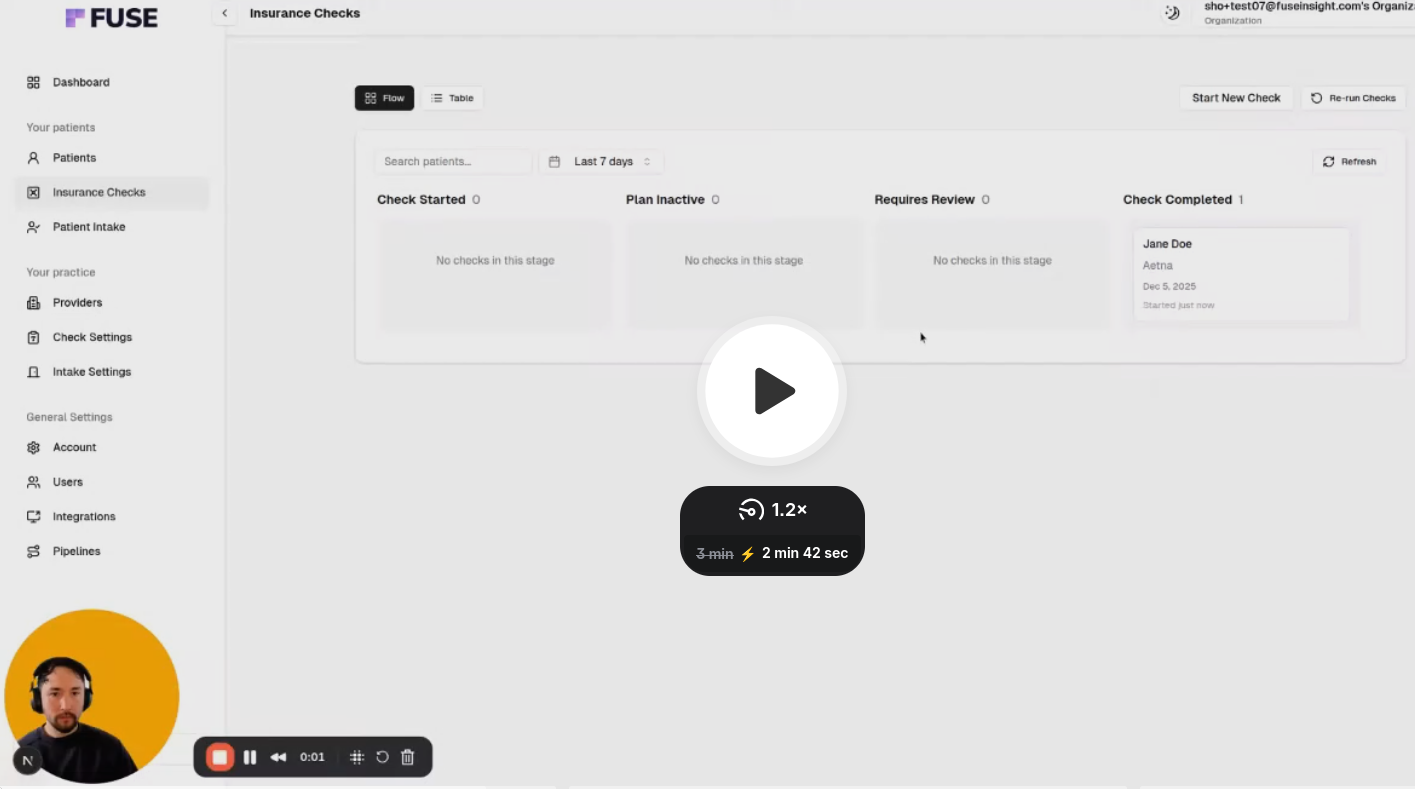
Verify compatibility with laboratory information systems, remote patient monitoring software, telemedicine applications, billing systems and more. Seamless data exchange across systems facilitates a complete patient journey. Integration with EHR systems enables smooth patient intake, insurance verification, fee estimation and automated workflows without multiple open browser tabs or software installations.
For EMR integration, consider using APIs for data exchange. APIs can ensure that records remain accessible and interoperable while maintaining smooth communication between systems post-migration.
Plan Your Migration With Confidence
Healthcare data migration doesn't fail because of technology. Technology helps make it happen, but proper preparation ensures it happens without a hitch. Answering these 10 questions up front can significantly improve migration success and prevent costly issues. Planning ensures data integrity, helps maintain regulatory compliance, minimizes disruptions to patient care and delivers the operational efficiency improvements you expect.
Fuse is an end-to-end solution for healthcare automation. It works seamlessly with existing EHR systems, offering automation that reduces admin time by up to 95 percent through CPT code-level insurance verification, direct payer calls, payer portal checks and more.
Want to see how Fuse can integrate with your current system without the need for complicated migrations or new software installations? Book your Fuse demo or consultation today to discuss your specific needs and uncover automation opportunities that can transform your practice.
Here's a reality that most don't realize: Healthcare is among the fastest-growing data sectors. The healthcare industry generates roughly 30 percent of global data volume. With an estimated annual growth rate of 6 percent, healthcare is the top data-producing sector in 2025, and that's likely to continue.
When legacy systems can no longer handle your practice's data volume, or when you plan to switch tools, you must be strategic about patient data migration. An estimated 78 percent of healthcare organizations have completed data migration or are in the process of doing so.
Healthcare data migration is more than simply moving files. It's a complex process that practices must execute strategically to avoid compliance issues, operational disruptions and other challenges, all while maintaining data integrity. Read on to learn more about the essential questions practices like yours need to ask before starting any patient data transfer endeavor.
Understanding What Healthcare Data Migration Involves
Healthcare data migration is the process of transferring patient information and medical data from one system to another. It can refer to a CRM data transfer as you move from outdated legacy systems to more modern alternatives. Alternatively, your practice may be planning to switch EHR or CRM vendors, consolidate data from multiple sources into a single system or migrate to a cloud-based infrastructure.
In any case, migrations typically involve various forms of data. These include:
•Clinical Data: Clinical data can include patient-specific information collected during medical care, such as vitals or lab results.
•Workflow Data: This type of data includes information about referrals, appointments, etc.
•Demographic Data: Demographic data covers information you'd find in your CRM, such as name, age, gender, address, insurance, etc.
•Financial Data: Financial data encompasses everything that impacts your cash flow, including insurance claims.
During healthcare system migration, practices must maintain data integrity. Successful migration improves data storage, data integrity and operational efficiency by up to 25 percent. It can also improve patient care. According to one study, 82 percent of facilities observed positive changes in patient care after migrating to a centralized system.
Question 1: What Data Actually Needs to Be Migrated?
Before starting a healthcare system migration, identify what types of data your practice needs to move. Conduct a comprehensive assessment of the existing data landscape, including patient medical histories, collective health records and business activity data.
Practices don't always need to move everything during a CRM or EHR data migration. Determine the amount of historical data your practice needs to convert, and consider what you can safely discard without impacting the practice or your patients. It's also important to make key decisions about data conversions and future needs.
For example, you should decide whether scanned documents will be images or searchable by their data. You'll also need to consider plans for future service growth and understand how much information needs to be organized and structured.
Data consolidation opportunities may arise during migration. Consider them, as consolidation can save organizations millions when done right.
The goal at this stage is to understand your data landscape and how to use it after your migration. Most practices don't need to migrate patient data exactly as is. Consolidation, restructuring and changes to how your practice organizes it all can make all the difference.
Question 2: How Will You Ensure HIPAA and Regulatory Compliance?
Regulatory compliance during healthcare CRM migration is non-negotiable. Your practice must continue to keep protected health information (PHI) secure. Every step must align with HIPAA, the HITECH Act, the CCPA and other applicable regulations. Compliance is mandatory every step of the way.
For HIPAA compliance, practices need to encrypt data in transit and at rest. Systems must also have secure messaging, role-based access controls and audit logs. Platform vendors should also provide Business Associate Agreements that detail their responsibilities and strategies for protecting PHI.
Before migrating, conduct a non-compliance analysis to avoid illegal data processing practices and the fines that come with them. It's also imperative that practices verify that new systems meet all regulatory standards before moving sensitive patient data.
Question 3: What Is Your Data Migration Strategy and Timeline?
Successful healthcare migration hinges on proper planning. Practices must have a clearly defined strategy. Start by choosing which migration is right for your organization. One option is a full migration, which involves moving at once. Another tactic is phased migration, where your practice runs old and new systems in parallel. The right strategy largely depends on your available resources, acceptable operational risk tolerances, disruption times and the overall complexity of the data environment.
Strategic planning must include a detailed project timeline, trackable KPIs, technical considerations and business considerations. Taking time to strategize before migration makes a difference. It helps prevent mistakes, delayed deliveries and performance issues while also establishing goals as you navigate the migration with minimal issues.
Question 4: How Will You Handle Data Compatibility and Interoperability?
Data compatibility and interoperability are some of the most complex challenges practices must overcome during healthcare data migration projects. Data may be labelled, structured or organized differently across systems. For example, a legacy system might store information about a medication as "Medication Name," while a new system calls it "Medication Details." A seemingly small detail has a big impact.
Semantic interoperability conflicts, transmission errors and format differences exist across hundreds of EHR vendors. Those differences can make EHR data migration significantly more complicated. Achieving a smooth transition requires knowledge of interoperability standards, including HL7, FHIR and USCDI. Understanding those standards can facilitate smooth data exchange between systems using APIs.
Data transformations can also normalize formats. Transformations can also standardize medical codes such as ICD, SNOMED and LOINC, aligning data fields to ensure records are usable.
Question 5: What Volume and Complexity of Data Are You Moving?
Scale is a significant factor in healthcare data migration. Organizations can manage massive volumes of data across a wide range of formats, making migrations challenging. Medical imaging files alone can exceed several gigabytes. Meanwhile, multi-level patient records and diagnostics add difficulty.
Once again, a thorough assessment of the data landscape matters. Practices must understand where data is currently stored, its structure and its formats. Studying data formats can uncover duplicates, gaps and compliance risks that could cause problems if a CRM data transfer is performed blindly.
Practices also need to account for data that constantly changes. Patient charts are frequently updated, and insurance claims and billing are always in flux. Planning for that ongoing data activity ensures operational continuity while preventing integrity concerns.
Question 6: How Will You Maintain Data Integrity and Quality?
Data quality problems can occur, but organizations can prevent them through data profiling. Profiling visualizes problems before migration begins by examining datasets to look for errors and inconsistencies. Early analysis allows your practice to clean the data, stripping out duplicates, correcting clear errors and flagging incomplete records.
After migration, preserving data integrity and quality continues with validation and reconciliation. Automated checks confirm volume and consistency. Meanwhile, spot reviews ensure that critical patient data didn't get lost or altered during the move. Compare old and new systems. Doing so allows practices to verify that all records are complete, accurate and accessible across modules.
Prioritizing data quality assurance now can help prevent minor issues from becoming major problems downstream.
Question 7: What Are Your Backup and Disaster Recovery Plans?
Things can go wrong during CRM and EHR data migration projects. It happens all the time. What's important is that you practice has a contingency plan for the worst-case scenario. Have a solid disaster recovery plan before migration begins. That way, you're prepared should unexpected disruptions, such as data loss or breaches, occur.
Perform regular data backups and have predefined steps for restoring data in the event of failure. Work closely with vendors to align recovery protocols, discuss potential risks and agree on migration steps.
Cloud-based migration offers additional layers of protection in instances where migration causes catastrophic data loss. However, backing up your practice's data before starting migration is the best line of defense against disaster. Always back up your data and have those recovery steps in place.
Question 8: How Will You Test the Migration Before Going Live?
In addition to having backups before patient data transfers begin, testing is a critical safeguard in migration projects. Before moving a full dataset, test with a subset of records. Testing allows you to identify and resolve potential issues before applying the dataset. It's a controlled approach that helps you proactively address issues.
Thorough system testing and validation are paramount. Validation helps ensure that all data is migrated accurately and that system functionality operates as expected. Testing should include checking both the data and the new system itself.
Early testing makes it easy to catch and fix problems before the transition occurs in earnest, ensuring that the migration doesn't negatively impact patient care or clinical work.
Question 9: What Training and Change Management Will Staff Need?
Practices can't rely solely on technology to ensure a successful healthcare data migration. Adopting new systems and cloud-based solutions often requires specialized expertise. There's a learning curve to overcome, so healthcare organizations must invest in team training to manage new infrastructure. It's also important to have in-house specialists to oversee patient data management in your new data environment.
Workshops, hands-on sessions and practical training ease the transition, ensuring staff can use new systems with minimal disruptions to everyday operations. It can take time to get into the swing of things. When teams are familiar with working with one system, there's always an adjustment period involved after a transition.
Manage expectations, provide sufficient training and offer ongoing support to overcome those workflow changes and prevent burnout. Patient data migration is just the beginning. Optimization, change management and training come after, but they're critical to reaching complete success with your practice's migration.
Question 10: How Will the New System Integrate With Existing Tools?
Integration planning should begin long before the migration. A new CRM or EHR system must work with the existing healthcare IT infrastructure without causing significant operational disruptions. Otherwise, your practice will be at a standstill.
Verify compatibility with laboratory information systems, remote patient monitoring software, telemedicine applications, billing systems and more. Seamless data exchange across systems facilitates a complete patient journey. Integration with EHR systems enables smooth patient intake, insurance verification, fee estimation and automated workflows without multiple open browser tabs or software installations.
For EMR integration, consider using APIs for data exchange. APIs can ensure that records remain accessible and interoperable while maintaining smooth communication between systems post-migration.
Plan Your Migration With Confidence
Healthcare data migration doesn't fail because of technology. Technology helps make it happen, but proper preparation ensures it happens without a hitch. Answering these 10 questions up front can significantly improve migration success and prevent costly issues. Planning ensures data integrity, helps maintain regulatory compliance, minimizes disruptions to patient care and delivers the operational efficiency improvements you expect.
Fuse is an end-to-end solution for healthcare automation. It works seamlessly with existing EHR systems, offering automation that reduces admin time by up to 95 percent through CPT code-level insurance verification, direct payer calls, payer portal checks and more.
Want to see how Fuse can integrate with your current system without the need for complicated migrations or new software installations? Book your Fuse demo or consultation today to discuss your specific needs and uncover automation opportunities that can transform your practice.


FAQs
Healthcare CRM migration timelines vary based on data volume, system complexity and an organization's unique approach. Small and midsize practices can migrate in as little as a few weeks, but larger health systems may require several months. Proper planning and testing will help reduce delays and keep migration projects on schedule.
Data loss or corruption is the biggest risk during patient data transfers and migrations. These events could disrupt patient care and create compliance concerns. Comprehensive data profiling, testing, validation checks and compliance analysis can help minimize risks.
It's not always necessary to shut down operations during a healthcare data migration project. Many practices do phased migrations, operating new and old systems simultaneously. While short maintenance windows may be necessary, careful planning will help prevent major disruptions and costly delays.
Costs can vary, depending largely on the practice's size and data volume. Vendor support, system compatibility and other factors also come into play. The biggest expenses for CRM data migration include technical consulting, data cleaning, testing, compliance validation and training.
After a successful migration, practices can archive legacy data for compliance purposes or decommission it in accordance with regulatory and operational requirements. Clear data retention and consolidation strategies can help practices keep historical records accessible without cluttering new systems, potentially saving millions.
Questions?




.avif)
.avif)
.avif)
.avif)
.avif)